
Android Matchday Prep: A Guide for Indian Fans

How to Build a Reliable Mobile Matchday Setup in India
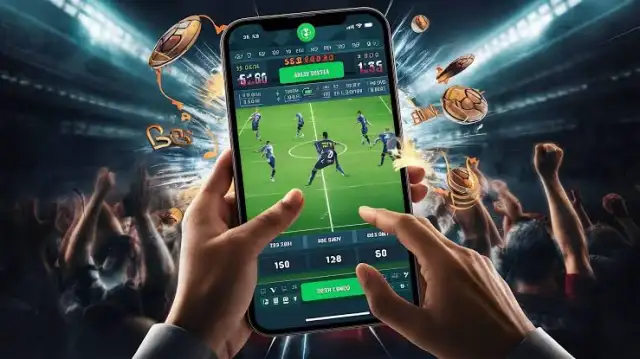
A football or cricket match rarely begins with the opening whistle anymore. Fans check line-ups, injuries, form, live scores, and group chats long before the action starts. Once the game is underway, the phone becomes a second screen for statistics, commentary, and mobile entertainment.
For many fans, the phone has quietly become the primary way of experiencing a match, not a secondary one. Line-ups, form, live scores, group chats — all of it happens on a screen long before, and often instead of, a television. This shift has been covered in more detail elsewhere, tracing how mobile technology has changed the way people follow football day to day, turning a single device into the main tool for staying close to a match.
That same shift is exactly why the phone itself deserves attention before kick-off. If it's going to carry the weight of scores, stats, commentary, and conversation all at once, it needs to be ready for that — not just charged, but properly set up.
Prepare the Phone Before Kick-Off
Live match periods are a poor time to discover that the phone has no storage left or needs a major software update. A few checks earlier in the day can prevent interruptions later.
Start by reviewing:
- available storage;
- battery level and health;
- pending Android updates;
- apps running in the background;
- Wi-Fi and mobile-data strength;
- notification settings.
Storage affects more than installation. Apps create temporary files, save updates, and build cached data over time. A phone with almost no free space may slow down, close applications, or fail to install a new version.
Restarting the device before a long session can also help. It clears temporary processes and gives Android a cleaner starting point.
Choose Between an App and the Browser
A mobile browser is convenient when someone wants quick access without installing another application. It works well for checking a page briefly, especially on a shared or low-storage device.
An app may be more practical for regular use. It can offer touch-friendly navigation, full-screen layouts, and better continuity when the user switches to messages or answers a call.
The right choice depends on the phone and the user’s habits. Someone who opens a platform occasionally may be satisfied with the browser. A regular user may prefer an app that remains signed in and returns to the previous screen.
Before starting a bc game download for android, users should confirm that the file comes from the official page and supports their Android version. A familiar logo alone is not enough, since unofficial websites can copy the appearance of genuine platforms.
Check the Installation File Carefully
Direct APK installation gives Android users more responsibility than a standard app-store download.
The download page should clearly show the file size, current version and installation steps — and it's worth checking the full website address rather than trusting a button from an ad or forwarded message.
When Android asks for permission to install unknown apps, grant it only to the browser or file manager in use, then disable it again afterward.
Watch for unexpected requests too. Internet access and notifications are normal for a mobile entertainment app, but permissions for contacts, call history or unrelated features should come with a clear explanation.
Keep the Connection Stable
Live platforms don't need the fastest connection available, just a consistent one — a brief drop at the wrong moment can freeze the screen or force a reconnect.
Home Wi-Fi is usually the best option, especially for downloading updates, and the router should sit somewhere open rather than behind a TV or inside a cabinet.
Mobile data works fine as a backup, but switching back and forth between the two can interrupt a session — better to pick the stronger connection before opening the app.
Public Wi-Fi is fine for checking scores, but not for passwords or payments. A trusted private network is the safer bet there.
Watch Battery Use and Heat
Streaming, live updates, and interactive graphics all lean on the processor, screen, and network at once — so some battery drain and heat are normal. Excessive heat isn't, though.
Keep the phone out of direct sunlight and off soft surfaces that trap heat. Fast charging while playing worsens it, especially inside a thick case.
A few things help: lower the brightness, close apps you're not using, and take short breaks. A certified power bank is fine on the go — just don't leave it charging inside a closed bag.
Protect the Account
Users accessing bc game online should treat account protection as part of the matchday setup, not something to consider only after a problem appears.
A unique password is essential. Reusing the same login across email, social media, and entertainment platforms means one leak can expose several accounts.
Two-factor authentication should be enabled where available. Users should also bookmark the verified website rather than searching for it every time, since promoted or imitation pages can appear in search results.
Payment and identity details should never be entered after following an unexpected link from a message, group chat, or social media post.
Matchday Entertainment Without the Technical Friction
A dependable mobile setup is built before the match begins. Enough storage, a stable connection, sensible notifications, and secure installation all help the phone perform more reliably when attention is on the game.
The goal is not to turn the device into a complicated technical project. A few simple checks are usually enough.
When the phone is prepared in advance, Indian users can move between scores, statistics, conversations, and entertainment without repeatedly solving avoidable problems. The technology then stays where it belongs: in the background, supporting the match rather than interrupting it.